KANNA AI

KANNA is becoming a field AI platform. At its centre is KANNA AI, which handles the jobs that take up the most time on site: writing reports, entering data and finding information. It has four parts. AI voice input lets you create reports and tasks by speaking. AI-OCR types up paper documents from a photo. An AI assistant answers questions straight away inside the app. AI MCP connects KANNA to external AI agents. Field workers no longer have to go back to the office just to enter data, and managers can make decisions using information that’s faster and more accurate.

KANNA AI

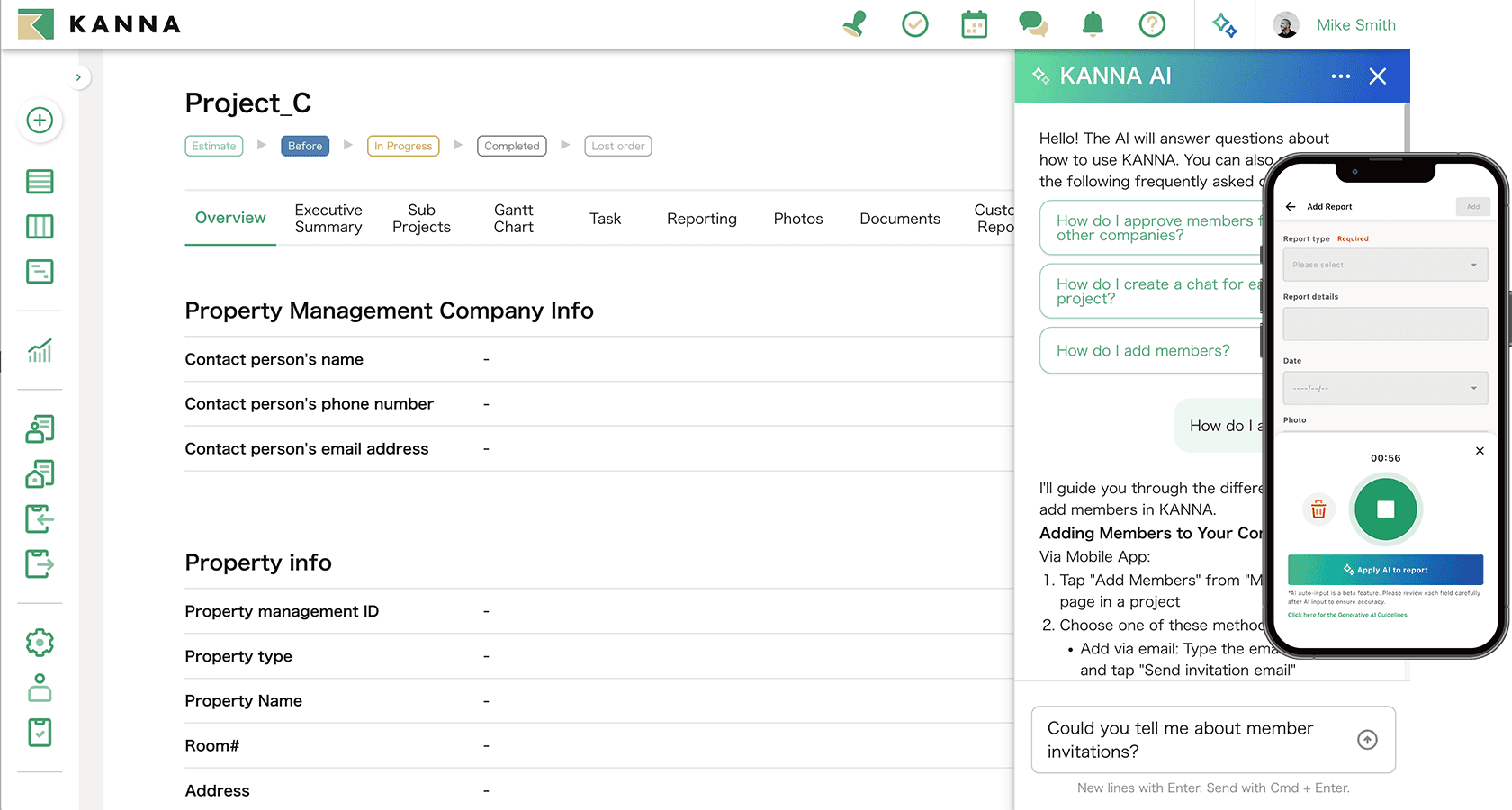
AI voice input allows you to complete report creation and task registration simply by speaking.

Describe what you saw on site into your smartphone, and the AI fills in the right fields in your reports and tasks for you. You won’t need to type anything up again back at the office. You can file reports and log tasks on the spot, even with your hands full, so accurate information is recorded while it’s still fresh.

AI-OCR that turns paper documents into reports simply by taking a picture of them.

Open the report you want to create, select “Input from Photo” and take a picture of the completed form. The AI reads handwritten and printed text, numbers and dates, then fills in the matching fields. You spend less time copying information across by hand, and you make fewer mistakes. Everything the AI reads appears on a confirmation screen before it’s saved, so the person responsible always does a final check. *This feature needs an internet connection. It’s currently in beta while we test its accuracy.

KANNA AI OCR

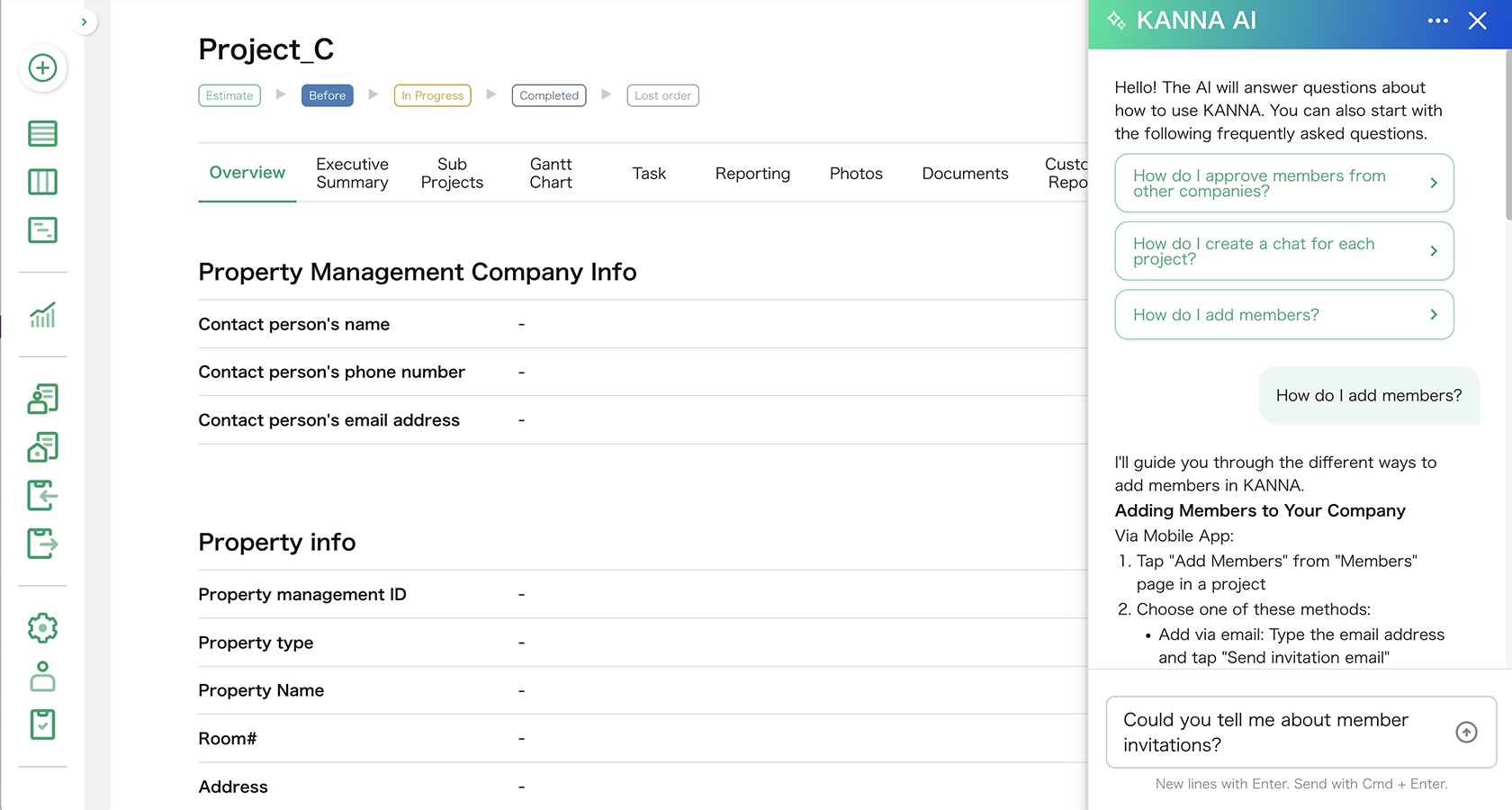
An AI assistant that lets you ask questions about how to use it and anything else you want to know, right on the spot.

If you’re not sure how something works or you need to find a document, ask KANNA’s built-in AI assistant right there in the app. You don’t have to dig through manuals or open other files, so you can keep working. Teams with lots of people still getting used to KANNA will also find they need to contact support less often.

KANNA AI Assistance

An AI MCP that allows you to directly control KANNA using a familiar AI.

KANNA supports MCP (Model Context Protocol), a common standard for connecting AI agents to other services. Once you connect an AI agent such as Claude to KANNA, you can work in KANNA by typing instructions in plain language into the AI LLM you already use. You can create reports, check settings, set up schedules and projects, and calculate custom items such as budgets. *You’ll need a KANNA account and a paid LLM plan to use this feature. Please check with your Customer representative.

KANNA AI MCP

Quick answers to common questions

Frequently Asked Questions

Can't find what you're looking for? Reach out to our team directly and we'll be happy to help.

Can't find what you're looking for? Reach out to our team directly and we'll be happy to help.

If the AI-OCR reads something incorrectly, will it be registered as is?

No. Values ​​read by AI-OCR are always displayed on a confirmation screen before the report is saved. Since the person in charge can correct and confirm the information with just a few taps, the accuracy of the final content is always guaranteed by a human. Please note that AI-OCR is currently in the beta stage as we are conducting accuracy verification in the field.

What types of documents can AI-OCR read?

This system is designed to read paper forms completed on-site, such as daily reports, inspection sheets, defect reports, and quality control sheets, and transfer the data to corresponding digital templates on KANNA. It supports both handwritten and printed forms.

Can it be used in locations where radio waves are difficult to reach?

AI-OCR uses cloud-based AI to read documents, therefore an internet connection is required. It cannot be used offline. However, KANNA reports and some other functions can be used offline.

What do I need to use AI MCP?

A valid KANNA account and an MCP-compatible AI agent (paid plan) are required. Currently available with Claude, ChatGPT, support for other AI agents will be added sequentially.

Is KANNA AI included in the current plan?

The features included vary depending on your contract plan. For the latest coverage and pricing, please check your pricing plan or contact your sales representative.