Project Management Software: Your Essential Tool for Keeping Projects on Schedule
Digital Transformation
Project Management Software: Your Essential Tool for Keeping Projects on Schedule
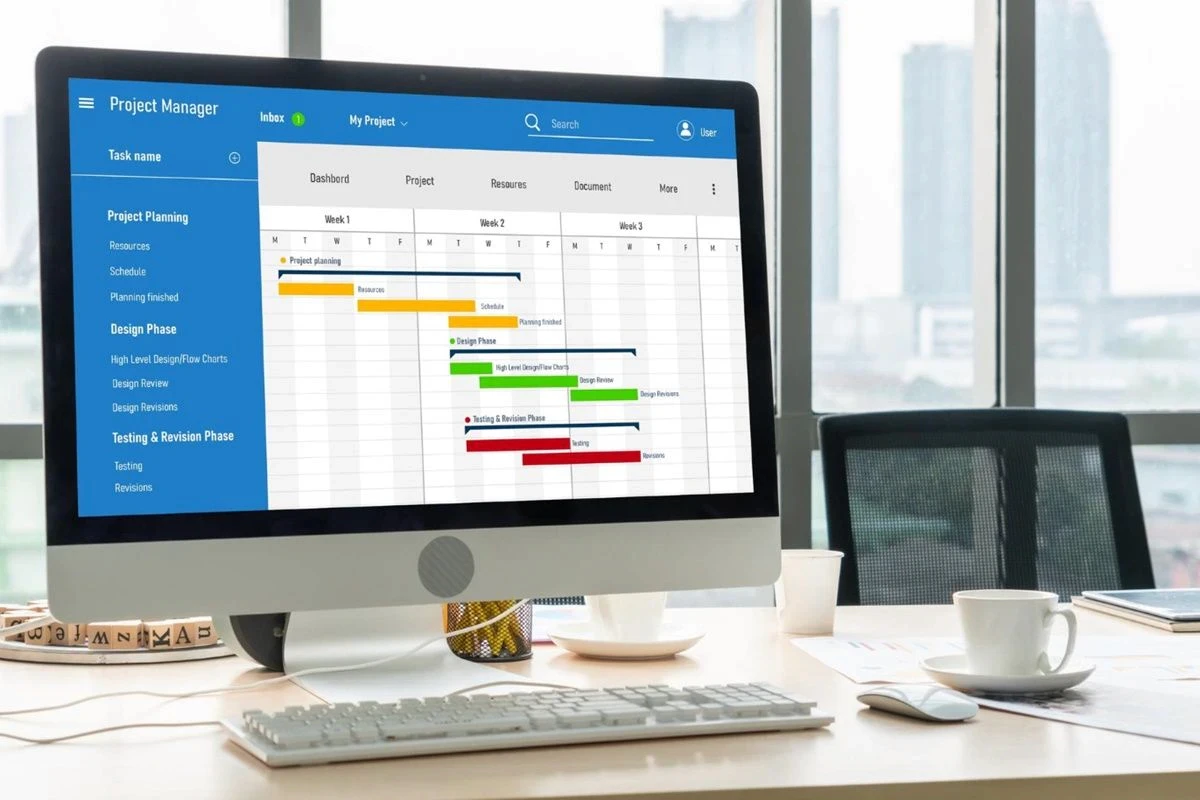
What Is Project Management Software?
In reality, planning and tracking are the two core pillars that keep any project moving forward as intended. In today's world, we have tools that go far beyond paper or standard Excel files — namely, project management software. These platforms can track work in real time, provide a clear overview of progress, and help prevent problems before they escalate.
Project management software is a system or application used to manage projects, tasks, and teams within an organisation in a structured way. It covers everything from planning and task assignment to progress tracking and comprehensive reporting. The primary goal is to bring order to the way work is done — preventing errors, reducing duplication, and giving managers a clear, real-time view across all projects.
Common Problems That Project Management Software Solves
Without a dedicated system in place, teams frequently encounter the same recurring issues:
Scattered information — Data spread across emails, group chats, and multiple spreadsheets makes it difficult to find a single source of truth. Messages on platforms like LINE can even be deleted, causing important information to be lost permanently.
Project managers overwhelmed — Managers spend excessive time chasing updates, visiting sites, and compiling reports manually, leaving little capacity to anticipate delays or make proactive decisions.
No real-time visibility — Without live progress updates, teams rely on individual check-ins with project managers, which causes delays and, in some cases, financial penalties for the company.
Security concerns — When everyone has access to everything, there is a risk of sensitive information being leaked, particularly when a team member leaves the organisation.
Miscommunication and delays — Relying on phone calls and emails means information is not always shared with all relevant parties, leading to misunderstandings and rework.
Key Features to Look for in Project Management Software
When evaluating a project management platform, the following features are essential:
Gantt Charts
A Gantt chart allows you to create, share, and manage project schedules visually. You can track planned versus actual progress, identify delays in specific tasks, and reschedule processes with simple drag-and-drop actions — all in real time via the cloud, so all stakeholders always have access to the latest plan.
Real-Time Task Tracking
The ability to see who is responsible for what, by when, and at what stage of completion is fundamental. A clear task list view with deadline reminders and notifications ensures nothing falls through the cracks and that the entire team stays aligned.
Centralised Photo and Document Management
All project-related photos, drawings, specifications, and documents should be stored in one place — accessible from any device, at any time. This eliminates the risk of team members referring to outdated versions and removes the need to return to the office to retrieve files.
Customisable Reporting
Digital report templates that can be completed on-site via a smartphone or tablet dramatically reduce the time spent on paperwork. Data entered in the field goes directly into the system, eliminating manual re-entry, illegible handwriting, and the delays associated with paper-based reporting.
Access Control and Security
Not every team member should have access to every piece of information. A robust system will allow you to assign permission levels — such as Viewer, Editor, and Admin — ensuring that sensitive data is protected and that only the right people can make changes.
Notifications and Alerts
Automatic alerts for overdue tasks or approaching deadlines keep the entire team informed without requiring manual follow-up. This is particularly valuable for managers overseeing multiple projects simultaneously.
Offline Capability
For teams working in areas with limited or no mobile signal — such as construction sites, underground locations, or remote areas — the ability to use the platform offline and sync data once connectivity is restored is a critical requirement.
How to Choose the Right Project Management Software
Choosing the right tool requires careful consideration of your organisation's specific needs. Key factors to evaluate include:
Ease of use — The interface should be intuitive enough for all team members, including those who are not tech-savvy. If the learning curve is too steep, teams will revert to their old habits.
Mobile accessibility — The platform must work well on both smartphones and tablets, as many team members will be working on-site rather than at a desk.
Customisability — Every business operates differently. Look for a system that can be tailored to your specific workflows, report formats, and project structures without requiring coding.
Scalability — The software should be able to grow with your organisation, whether you are managing five projects or five hundred.
Multi-language support — For organisations operating across different regions, multi-language interface support is essential.
Security — Enterprise-grade security features such as two-factor authentication, device restrictions, IP address controls, and audit logs are important, particularly for larger organisations.
Free trial availability — Always test before committing. A free trial with no credit card required allows your team to evaluate the platform in a real-world context.
How Kanna Supports Project Management
Kanna is a project management platform developed in Japan, trusted by over 70,000 companies across 100+ countries. It is designed specifically for industries where work happens in the field — including construction, manufacturing, real estate, and utilities — making it a purpose-built alternative to general-purpose tools that often require significant configuration to fit these workflows.
Rather than forcing your processes into a generic system, Kanna adapts to the way your team already works. Key capabilities include:
A Project List, Project Board, and Project Calendar for a complete real-time overview of all active projects
Gantt Charts for visual schedule management with drag-and-drop rescheduling
Task Management with multi-person assignment, due dates, and reminder notifications
Centralised photo and document storage with no file expiry
Customisable digital report templates that can be completed on-site via smartphone or tablet
Built-in chat linked directly to projects, replacing fragmented email threads and group chats
Offline mode for use in areas without mobile signal
Approval flows and electronic signatures within the app
Enterprise-grade security including two-factor authentication, device restrictions, and audit logs
Bulk data import and export for fast onboarding and reporting
Kanna offers a free trial with no credit card required.
Read more