How to Create an Effective Construction Daily Report with AI MCP
Site Reporting
AI
How to Create an Effective Construction Daily Report with AI MCP
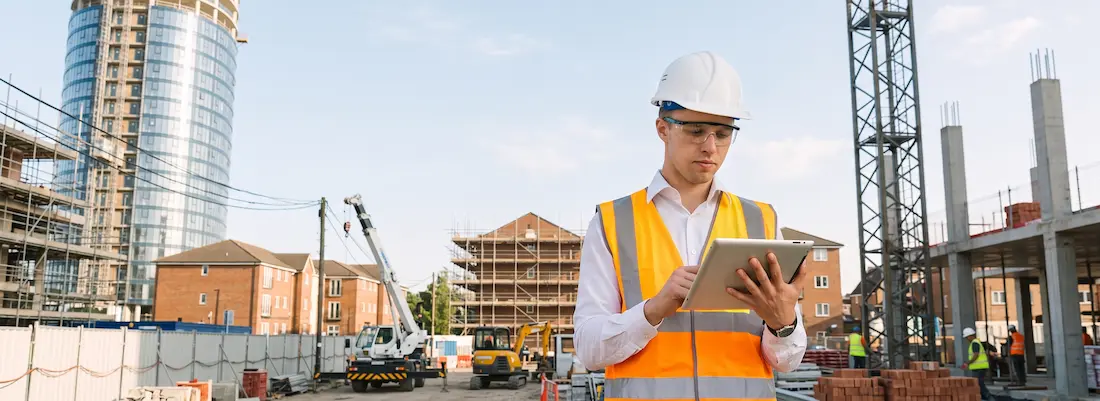
Every day on a construction site produces a lot of information: how many workers showed up, what the weather did, which materials arrived, how far the work got, and what went wrong. Project Managers and their teams make decisions based on it. The construction daily report, or Daily Report, is where most of it gets written down.
Having a Daily Report doesn't help much if the information ends up in different places, arrives late, or never gets looked at again. On larger projects the volume of site information grows fast, which makes this worse. This article covers how to write a Daily Report that's actually useful, and how AI MCP can turn site data into information you can manage a project with.
What is a construction daily report?
A construction daily report (also called a Daily Construction Report) records what happened on site on a given day. It lets stakeholders follow the project as it goes, and it leaves the team a day-by-day record they can look back on.
A report can include:
Date and work location
Number of workers and contractors on site
Work performed in each area
Quantity of work completed
Materials or equipment delivered
Machinery used
Weather conditions
Problems and obstacles
Accidents or unusual incidents
Delayed work or potential risks
Site photos
Work carrying over to the next day
Why does a daily report matter?
Many decisions on a construction project depend on site information being accurate and current. When it's incomplete or late, the Project Manager can miss a problem while it's still small and easy to deal with.
Say the electrical installation is two days behind. If the report only says "the work is delayed," with no cause, no figure for what's left, and nothing on what else it affects, the Project Manager can't judge the situation. They won't know whether it's a one-off or the start of a knock-on delay to later activities in the schedule.
So the report has to do more than log the day. It should give the team enough to track progress, work out why problems happened, and decide what to do about them.
Kept up every day, these records can be checked against the project plan to see whether work is on schedule or starting to slip. This matters most on projects with several teams, contractors, or work areas, where collecting the same information daily keeps everyone working from the same picture. Project Managers, Site Engineers, Foremen, and individual contractors can all see what was done that day, what was finished, what ran into trouble, and what still needs follow-up.
The reports also add up to a Project Record. If questions come up later about a delay, a change in the work, a site problem, or anything that affected cost or schedule, the team can check when it happened, who was involved, and how it was handled. That record cuts down on miscommunication and gives teams a chance to deal with issues before they spread to the rest of the project.
What should a construction progress report include?
A good report favors information someone can act on over long passages of text. These are the main things to cover.
1. Work completed each day
Say what was done, where, and how much. A line like "80 cubic meters of concrete poured on the second floor" is easy to check against the plan. "Work proceeded according to plan" isn't.
For example:
80 cubic meters of concrete poured on the second floor
120 meters of plumbing pipe installed
Steel structures installed at 15 locations
2. Number of workers
Daily headcount has a direct effect on productivity, so record it by team or contractor where you can.
3. Materials and equipment
Record what was received, what was used, and what ran short. That way procurement and the Project Manager can keep track of supply in time to act on it.
4. Problems and obstacles
This is how management finds out about risks on site: late material deliveries, broken-down machinery, unfinished work from other contractors, or errors found in the drawings.
5. Site photos
Photos show the real state of the work and help people who aren't on site understand it. Tag each photo with the area, date, or activity so it can be searched and found later.
Common problems with traditional daily reports
Plenty of projects already keep daily reports, but that doesn't mean the reporting works well.
Entries are often late. Teams write them up after the work is done, from memory, and details get lost.
Formats vary. Different sites or teams record things in different ways, so Project Managers spend extra time reading and comparing.
Information is spread out. Photos sit in a chat app, headcount in Excel, work details in documents, and site issues in group chat threads. With the data split across that many places, it's hard to see where the project as a whole stands.
Five ways to make daily reports more useful
1. Use one report format
Have every team use the same structure: work completed, workforce, materials, problems, photos, and the plan for the next day. When reports share a structure, it's easy to compare one day or one work area with another.
2. Record things as they happen
Don't wait until the end of the day and try to remember what happened. Some of it will be forgotten. Entering information on site from a phone or an online system saves steps and gives you more accurate data.
3. Back up the text with photos
Link each photo to the work or area it shows. Management can understand a situation from a photo much faster than from a long written description.
4. Tie reports to the project plan
Compare what the reports say against the project Schedule. If the plan calls for 500 meters of piping in a week and the reports show 300 meters done, the Project Manager can see the gap right away.
5. Analyze what you collect
Collecting the day's information is only the first step. Look at it over time to find trends, recurring problems, and risks to the project. The point of reporting is to turn site information into data that helps people make decisions.
What is AI MCP, and how does it help with daily reports?
When people think of AI in project management, they usually picture a chatbot that answers questions, summarizes text, or helps with writing. AI can do more than that once it has proper access to the project's data and tools.
That's what MCP (Model Context Protocol) is for. It's a standard way to connect AI to data, systems, and tools. With it, the AI isn't limited to the text a user types in. It can draw on the relevant sources directly as part of its analysis.
This suits daily reports because project information comes in more than one form. Some of it is in the Daily Reports, work details are in Tasks, the plan is in the Project Schedule, and site conditions are in photos or team notes. Once those sources are connected, the AI has enough project context to look at how the different data relate to each other, rather than only summarizing report text. It could flag something unusual, link an Issue to the Task it belongs to, or point management to an area worth a closer look.
How AI MCP cuts the time spent on daily reports
Pulling information together from several sources is one of the most time-consuming parts of reporting for construction teams. AI can take on several steps of that work, so people reach decisions sooner and with more to go on:
Summarize large volumes of site data into something short and readable.
Sort data into Progress, Issue, Risk, Material, and Safety.
Flag days when actual progress fell below plan.
Spot an issue that keeps coming back over several days.
Pick out issues that need an owner and a next step, as Action Items.
Turn detailed site information into an Executive Summary management can read quickly.
KANNA and site data management
On projects spread across several locations, teams, and contractors, site information tends to end up in Excel files, group chats, photo folders, and assorted documents, where it's hard to find and hard to track.
KANNA keeps Tasks, Project Schedules, Progress, and Site Reports in one system. Project Managers can check progress, review issues, and see where the project stands without hunting through several sources.
Once site information is stored in a consistent structure, AI can work with it through MCP and analyze it in the context of the project. The question changes from "What happened today?" to ones like these:
What's deviating from the plan?
Which part of the work does this problem affect?
What needs to happen next?
The Daily Report stops being only a record of the past. The Project Manager can use it to spot problems, set priorities, and follow up on actions sooner. This is a step toward Data-Driven Construction Management, where planning and decisions rest on data, with AI supporting day-to-day project work, instead of on intuition and past experience alone.
Try managing your site reports with KANNA. Click here.
Frequently asked questions
What is a construction daily report?
It's a document, or a set of records, that captures what happened on a construction site each day and how far the work got. It can cover work performed, headcount, materials used, problems and obstacles, weather, and site photos. Project Managers and other stakeholders use it to follow the project's status day to day.
What should a construction daily report include?
The date and work area, what work was done and how much, the number of workers, materials and machinery, problems and obstacles, safety incidents, and site photos. It should also list work that carries over to the next day, so the report can feed into planning and tracking.
Why report construction progress every day?
Daily reports keep management up to date on the real state of the project. They can compare actual work with the plan, catch delays, and follow issues from the start. The reports also become a record for looking back and a channel between site teams and management.
How can AI MCP help with construction daily reports?
MCP lets AI work with project data and tools with more context. Using information from Daily Reports, AI can summarize data, analyze progress, flag anything unusual, track recurring issues, and help draft Action Items for the team. The reports then feed into decisions instead of sitting in a folder.
Is construction reporting software better than Excel?
Construction management software keeps site information in one system and makes it easier to link that information to specific tasks or projects. Excel can work for small projects. As data, teams, and work areas grow, though, spreadsheets alone tend to lead to duplicate entries, missing data, and more time spent compiling reports. A platform built for construction makes it easier to record, track, and use Daily Report information to run the project.
Read more